

readyPCM Helper Script for Resolve (Linux)

Description
Blackmagic Resolve works quite well on Linux for the most part. Unfortunately, Resolve has no AAC support on Linux.
So I wrote a little helper script called readyPCM.
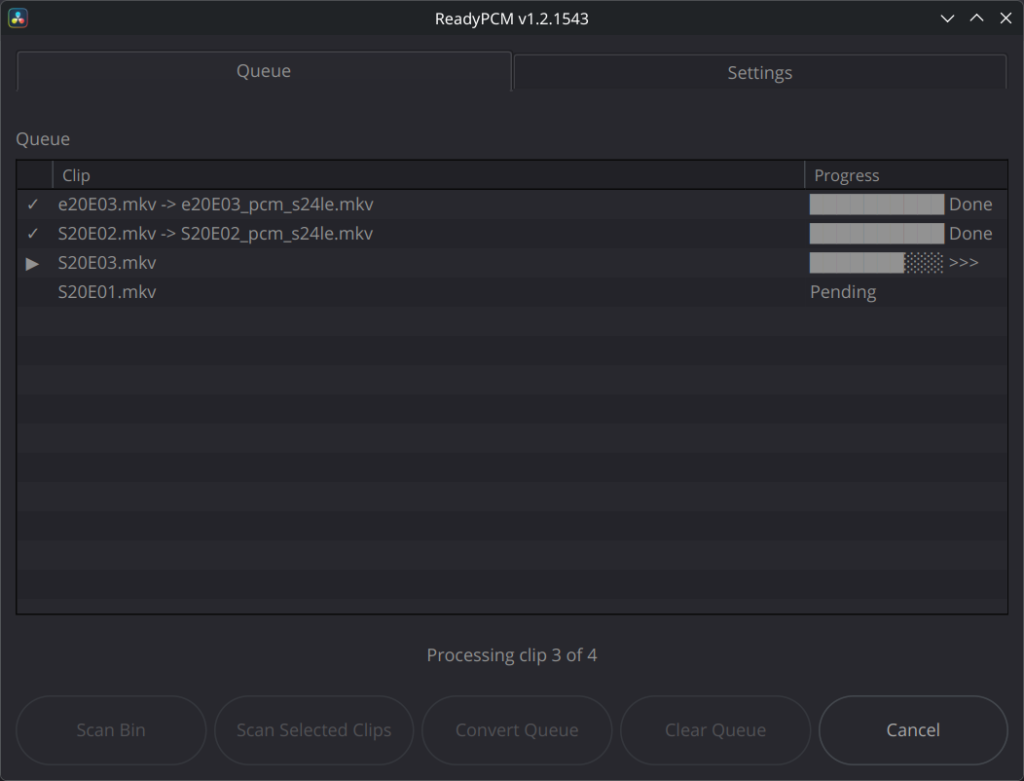
The script scans a current bin or the selected clips in Resolve and checks if Resolve supports the audio codec. If it does not, the clip is added to the queue.
Optionally, the script can force-encode any audio stream to PCM if you want all audio to be the same.
It will then convert the audio stream to one of four PCM codecs while copying the video stream into the new file, leaving it untouched.
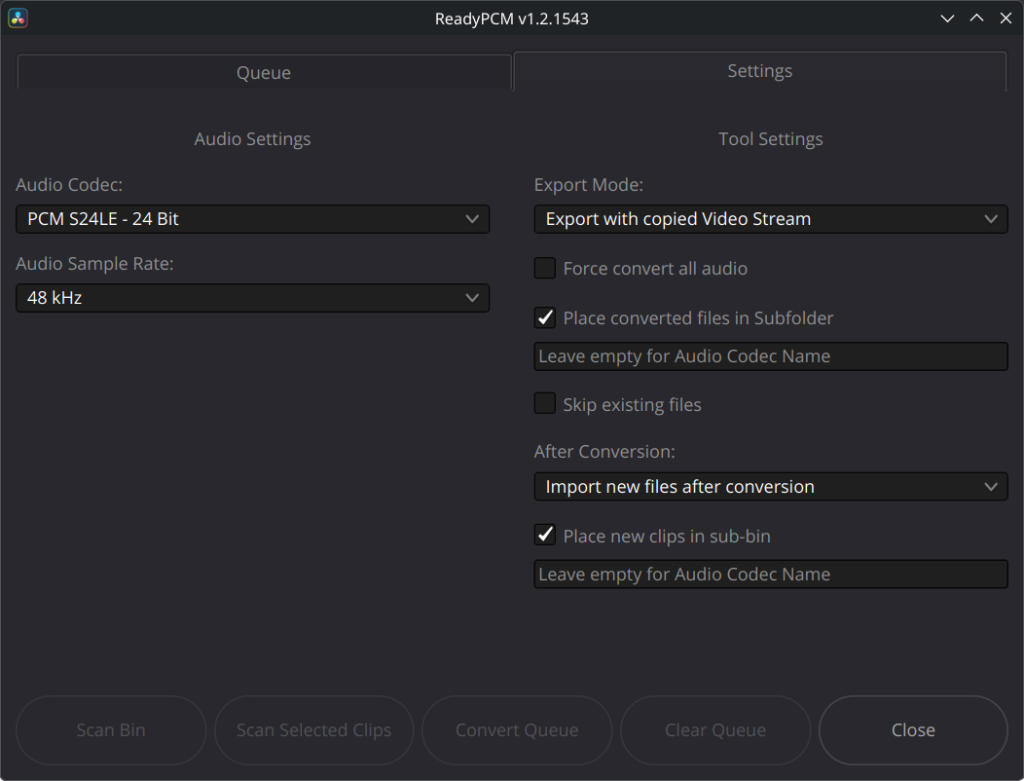
It can also be switched to create audio only exports.
The script can then directly import the new files into Resolve or re-link the original clips. Re-linking is of course not available when creating audio only exports.
These two sources were invaluable for this project:
https://extremraym.com/cloud/resolve-scripting-doc/#overview
https://resolvedevdoc.readthedocs.io/en/latest/index.html
Full disclosure: This script was created with the help of GPT-5.6 Sol. I wrote most of the script myself but had to use GPT for some of the more exotic API bits. And I am not that experienced writing code in Python. I do make it a point to understand the code before I implement it though rather than just blindly paste it into the script.
Download it, put the file in
~/.local/share/DaVinciResolve/Fusion/Scripts/Utility
or which ever sub-folder you like and give it a try. The script will create a .json settings file.
I am happy to receive feedback.
The script is Linux only.
Update Log:
v1.3.1616 – added safety fallback that renames clips if Resolve does not adapt the new name when re-linking the new source file
v1.3.1690 – Re-linked clip now transfer the start timecode and FPS set in the original clip
updated on 2016/08/15
This script is free of charge. If you like the script and it is useful in your production, please consider supporting me on ko-fi so I can keep supporting this script and develop more tools for you. Thank you! ❤️
IMPORTANT: I am a hobby coder. Although I tested the script to the best of my abilities and incorporated the help of a fellow Resolve user, bugs are still possible. Use the script responsibly. Loss of data is unlikely, I can not be held responsible in such a case.